VCP-DCV study guide1.1
Publisher Description
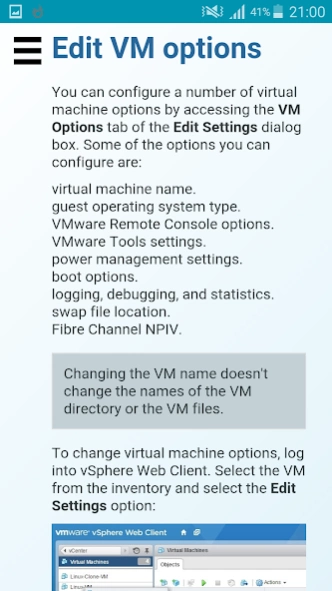
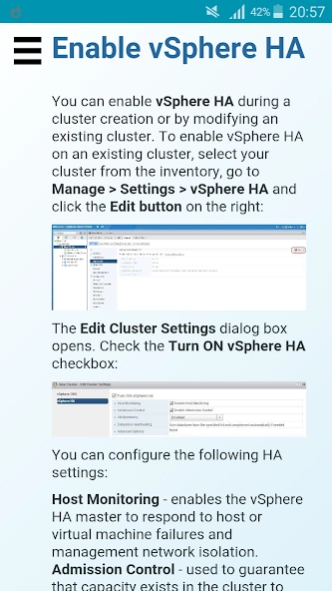
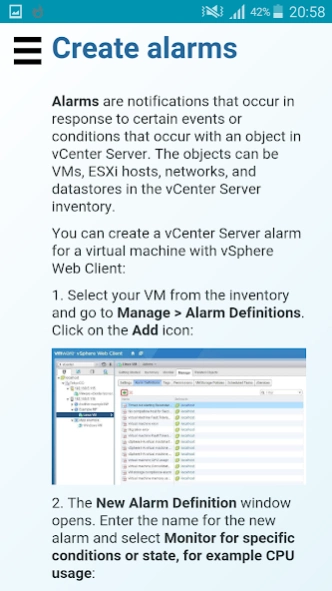
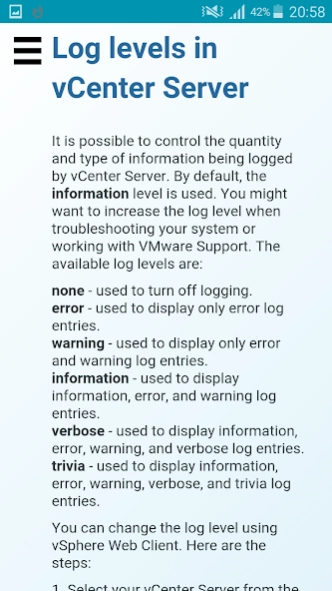
This guide helps you prepare for the VMware VCP-DCV certification.
This guide can be used in preparation for the VCP5-DCV (VMware Certified Professional – Data Center Virtualization) certification. VCP5-DCV (VMware Certified Professional 5 – Data Center Virtualization) is a cerfitication from VMware that deals with data center virtualization. This certification confirms that you have the education needed to successfully install, manage, and deploy VMware vSphere environments.
You will learn how to manage virtual machines in a VMware vSphere environment. vSphere is a software suite that includes components like ESXi, vCenter Server, vSphere Client, vCenter Orchestrator, vSphere Update Manager and so on.
Here is a list of topics included in this guide:
vSphere overview
Getting started
vCenter SSO and vCenter Inventory
Virtual machines
Virtual networks
Storage
iSCSI
NFS
Fibre Channel
Datastores
VM migration
VM snapshots
vApps
Security
Manage resources
Reporting
Alarms
High Availability
Fault Tolerance
Scalability
Note that this is an unofficial guide. VMware, Inc. is in no way affiliated with this app.
About VCP-DCV study guide
The company that develops VCP-DCV study guide is Geek University. The latest version released by its developer is 1.1.
To install VCP-DCV study guide on your Android device, just click the green Continue To App button above to start the installation process. The app is listed on our website since 2015-12-07 and was downloaded 14 times. We have already checked if the download link is safe, however for your own protection we recommend that you scan the downloaded app with your antivirus. Your antivirus may detect the VCP-DCV study guide as malware as malware if the download link to vmware.esxi.geek.university.com is broken.
How to install VCP-DCV study guide on your Android device:
- Click on the Continue To App button on our website. This will redirect you to Google Play.
- Once the VCP-DCV study guide is shown in the Google Play listing of your Android device, you can start its download and installation. Tap on the Install button located below the search bar and to the right of the app icon.
- A pop-up window with the permissions required by VCP-DCV study guide will be shown. Click on Accept to continue the process.
- VCP-DCV study guide will be downloaded onto your device, displaying a progress. Once the download completes, the installation will start and you'll get a notification after the installation is finished.
Program Details
System requirements
Download information
Pricing
Version History
version 1.1
posted on 2015-12-07
Minor changes.
